Civicade

CivicRequests · Service requests

Potholes, streetlights and missed pickups, reported once and followed through.

Residents report problems from their phone. CivicRequests routes each report to the right department, tracks it against your response target, and keeps the resident informed without exposing internal notes.

  1. 1Resident reportsA mobile form with category, location, photos and optional contact details.
  2. 2Routed automaticallyEach category goes to a default department, with a response target in calendar or business days.
  3. 3Staff work itAcknowledge, assign, add internal notes or public updates, merge duplicates, open a work order.
  4. 4Resident is toldThe resident's private link shows status and public updates; they're emailed when it's resolved.

In the current build

See CivicRequests at work.

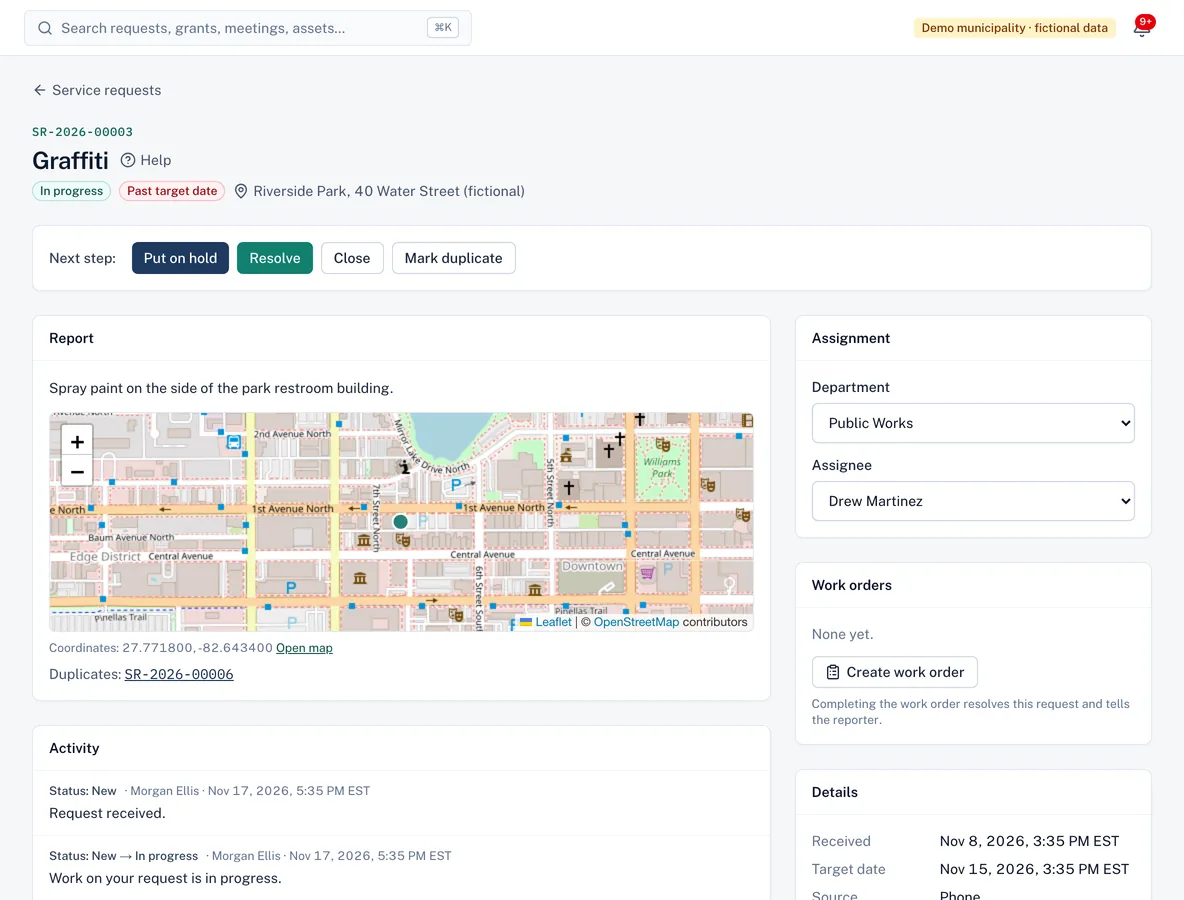
A service request for graffiti showing the report, a street map with the location, assignment to Public Works and next-step buttons.
Each report arrives with its location, a target date and a clear next step.
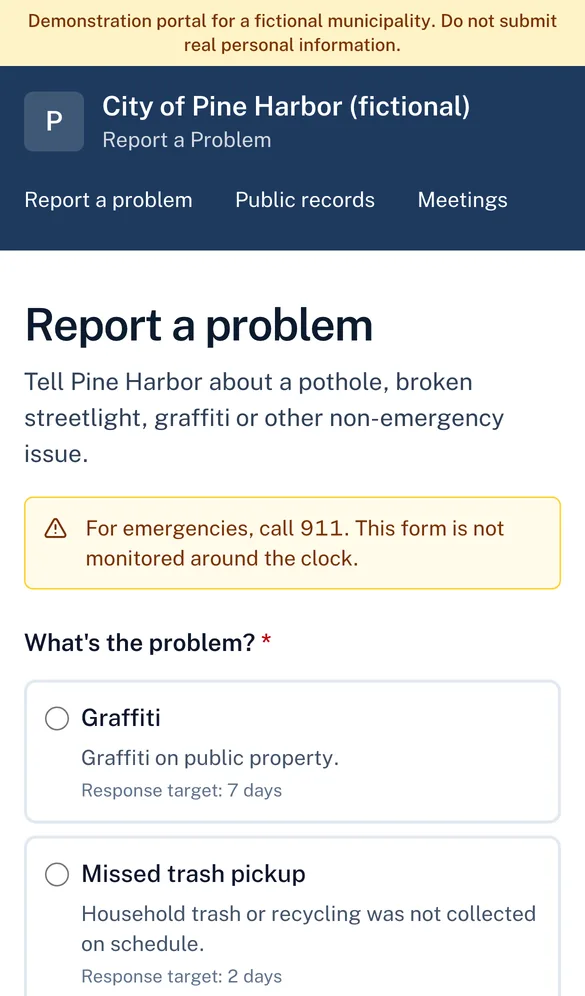
Report a problem form on a phone: choose a problem type such as graffiti or missed trash pickup, each with its response target.
Residents report problems from their phone.
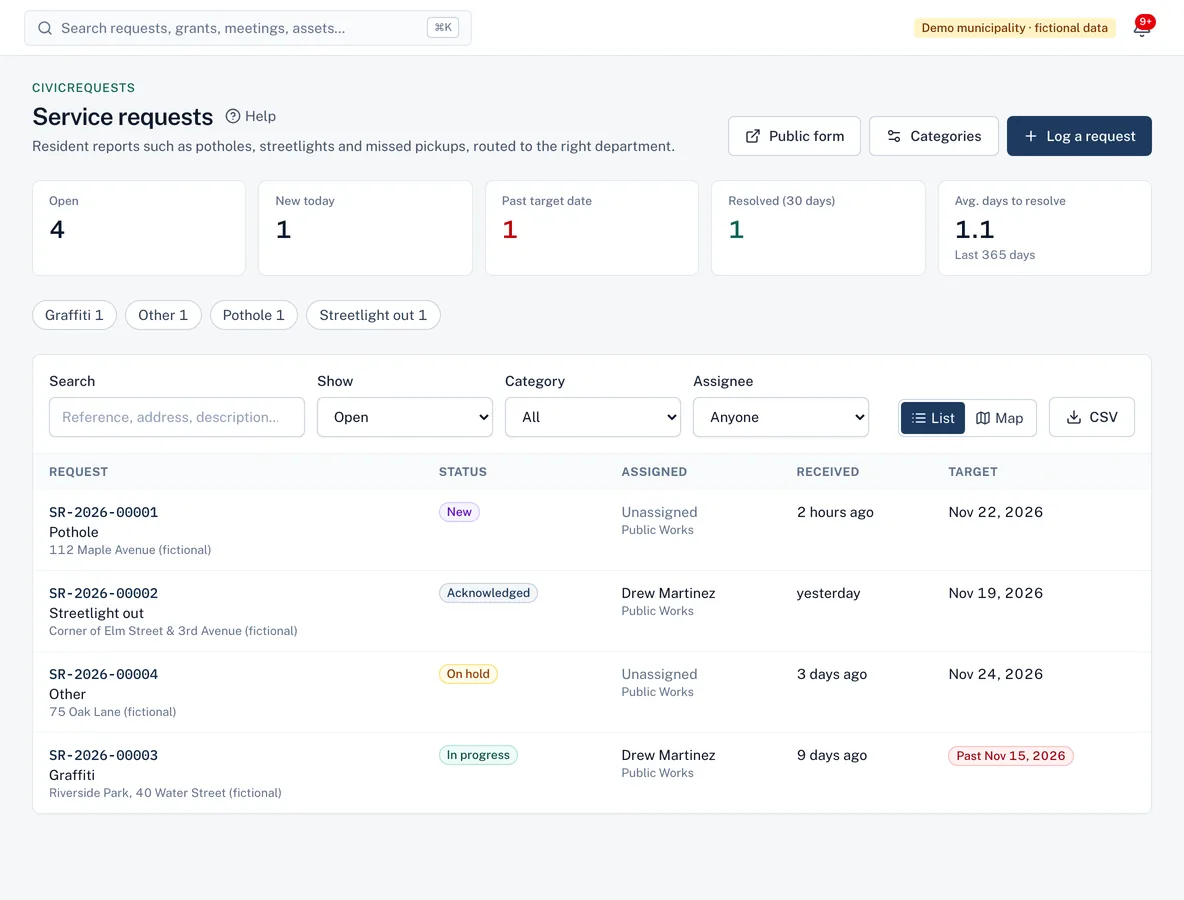
Service requests list with counts for open, new today and past target date, filters, and requests with status, assignee and target date.
The service request queue, with counts that show what needs attention.

Screenshots from the current build, using a demo municipality with fictional data.

Capabilities

What CivicRequests does

CivicRequests is available in the current build and offered to pilot municipalities. It shares accounts, permissions, audit history and integrations with every Civicade module.

Mobile report form

Available in current build

Built for phones: choose a category, describe the problem, add an address or share your location, attach up to three photos.

  • Contact details optional (anonymous reports allowed)
  • Location is read only when the resident taps the button
  • Photos are checked before they're stored

Routing and assignment

Available in current build

Categories route reports to a department. Coordinators assign them to staff, who are notified.

Response targets

Available in current build

Each category has a target in calendar or business days, using your holiday calendar. Residents see it as a target, not a guarantee.

Map and list views

Available in current build

See open requests on a map, with overdue ones highlighted, or filter the list by status, category and assignee.

Public updates vs. internal notes

Available in current build

Staff choose who sees each message. Internal notes never appear on the resident's tracking page.

Work orders with CivicAssets

Available in current build

Open a work order from a request. When the crew completes it, the request is resolved and the resident is told.

For residents

Residents always know where their report stands.

After submitting, residents get a reference number and a private tracking link—no account needed.

  • Plain-language progress: received, reviewed, in progress, resolved
  • Public updates from staff and the resolution note
  • Add more information while the request is open
  • Duplicate reports point to the original

Roles

Clear responsibilities for everyone involved.

Roles are bundles of specific permissions your administrator can adjust.

Service coordinator

Triages new reports, sets categories and routing, and assigns requests to staff.

Public works / field staff

Works assigned requests, posts updates and resolves them.

Auditor

Read-only access; resident contact details are hidden from view-only roles.

Questions

CivicRequests FAQ

CivicRequests help articles
Is this a replacement for 911?
No. The public form tells residents to call 911 for emergencies. CivicRequests is for non-emergency issues.
Do residents need an account?
No. They get a reference number and a private tracking link. Adding an email address lets them receive a confirmation and an update when the request is resolved.
Do you provide a mobile app?
The report form is a mobile-friendly web page, so residents don't need to install anything. There is no separate app-store app.

Insights

Further reading

See whether CivicRequests fits your workflow

Walk us through how requests reach your office today. We'll show you the product, answer questions honestly—including what isn't built yet—and talk through what a pilot would involve.